



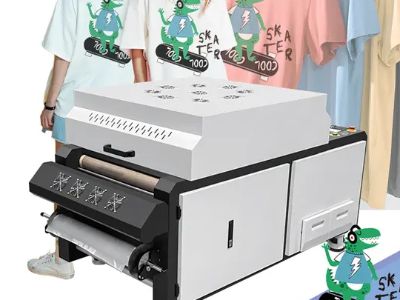
Understanding the best printers for DTF (Direct to Film) is crucial for businesses looking to invest in high-quality printing equipment. This article explores how to avoid buying low-quality DTF equipment, which is a common concern for purchasing managers and distributors. By focusing on key specifications, common issues, and practical advice, we aim to equip you with the knowledge necessary to make informed purchasing decisions.
Choosing the Right DTF Printer for Wholesale Purchasing Needs
Selecting the right Dtf machine is essential for wholesalers who need reliable and efficient printing solutions. Consider your production capacity and the volume of prints you expect to produce. A printer with a higher output rate can significantly reduce lead times, allowing you to meet customer demands swiftly. Additionally, evaluate the machine's compatibility with various film types and inks to ensure versatility in your product offerings.
Assessing the total cost of ownership is equally important. This includes not only the initial purchase price but also ongoing costs such as ink, maintenance, and potential repairs. Investing in a reliable printer from an established manufacturer like XURON can help minimize these expenses in the long run.
Key Specifications to Look for in Quality DTF Equipment
When evaluating DTF printers, several key specifications should guide your decision-making process:
Print Resolution: Measured in DPI (dots per inch), higher resolutions produce finer details and vibrant colors. A minimum of 1440 DPI is recommended for high-quality prints.
Print Speed: This affects your production efficiency. Look for printers with adjustable speed settings, allowing you to balance quality and output as needed.
Ink Compatibility: Ensure that the printer is compatible with a wide range of DTF inks. This flexibility allows for experimentation and adaptation to different materials and projects.
Print Width: Depending on your product line, consider the maximum print width the machine can handle. Larger widths can accommodate a wider variety of products, reducing the need for multiple machines.
User Interface and Software: A user-friendly interface can significantly reduce training time for new operators. Check for software compatibility to ensure seamless integration with your existing workflow.
These specifications directly affect the printer's performance and the quality of your final products, making it crucial to choose wisely based on your specific needs.
How to Compare DTF Printers for Optimal Project Outcomes
When comparing Dtf printing machine, it’s important to establish criteria that align with your business objectives. Start by gathering data on different models, focusing on the specifications mentioned earlier. Create a comparison chart to evaluate the strengths and weaknesses of each option.
Consider seeking out reviews or case studies from existing users to gain insight into real-world performance. Ask manufacturers about their support services, warranty options, and the availability of replacement parts. A robust after-sales service can significantly enhance your operational reliability.
Additionally, inquire about customization options. Some manufacturers may offer tailored solutions that better meet your unique production requirements. Engaging with your supplier in a dialogue about your needs can help ensure that your selected printer delivers optimal project outcomes.
Common Problems with DTF Printers and How to Solve Them
Despite their advantages, Direct to film printer can encounter several common issues that may disrupt production:
Ink Clogging: This is a frequent issue that can lead to poor print quality. Regular maintenance, such as cleaning the print heads and using high-quality inks, can mitigate this problem.
Film Adhesion Issues: If the DTF film does not adhere properly, it can result in poor transfer quality. Ensure that you are using the correct temperature and pressure settings during the transfer process, and regularly check your heat press for consistency.
Color Accuracy: Variations in color output can occur if the printer is not calibrated correctly. Regular calibration and color profiling can help maintain consistent results across different jobs.
Software Compatibility: Outdated software can lead to operational inefficiencies. Always ensure you are using the latest software versions and check for updates regularly.
By understanding these common challenges, you can implement preventive measures and solutions to maintain smooth operations.
What You Need to Know for Success
To ensure success in your DTF printing endeavors, consider the following actionable strategies:
Sample Testing: Before committing to a large order, always request samples. This allows you to assess print quality, color fidelity, and the overall performance of the printer under actual working conditions.
Supplier Communication: Establish a clear line of communication with your supplier. Discuss your specific needs, and don’t hesitate to ask questions regarding machine capabilities, maintenance, and support.
Training and Support: Invest in training for your team to ensure they are familiar with the equipment and processes. Proper training can reduce errors and enhance overall productivity.
Quality Control: Implement a quality control process for your printed products. Regular inspections can help catch issues early, ensuring that your final products meet customer expectations.
By focusing on these factors, you can enhance your operational efficiency and ultimately improve your bottom line. Investing time upfront in understanding and preparing for your DTF printing needs will pay dividends in the long run.

