



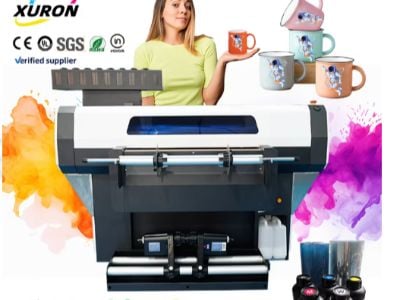
Choosing the right DTF printer is critical for businesses looking to enhance their digital printing capabilities. We will explore the best printers for DTF, comparing desktop and commercial DTF machines. Understanding the features, specifications, and potential pitfalls will help you make an informed decision, ensuring that your investment meets your operational needs and quality expectations.
Key Features to Consider
When selecting a DTF printer, several key features should be at the forefront of your evaluation.
Print Quality: The resolution and color accuracy of a DTF printers are essential for producing high-quality prints. Look for printers with high DPI (dots per inch) capabilities, which ensure sharp and vibrant images.
Speed: For commercial operations, speed is a crucial factor. Printers vary in their output rates, typically measured in square meters per hour. Assess your production needs to determine the appropriate speed for your operations.
Ink Compatibility: The type of ink used can significantly impact the quality and durability of the prints. Ensure the printer supports high-quality DTF inks that provide excellent adhesion and flexibility.
Ease of Use: User-friendly interfaces and software compatibility are important for operational efficiency. Features like automatic print head cleaning and maintenance alerts can save time and reduce downtime.
Size and Footprint: Depending on your facility, the size of the printer may be a concern. Desktop models are typically more compact but may have limitations in output volume compared to commercial machines.
Customization Options: If your business requires specific designs or applications, consider printers that offer customization capabilities, such as different print sizes and materials.
Where to Buy DTF Printers for Wholesale Orders
Purchasing DTF printers in bulk requires careful consideration of suppliers. XURON, with over 20 years of manufacturing experience in China, is a reliable source for both desktop and commercial DTF machines. Here are some tips for sourcing DTF printers:
Research Manufacturers: Look for manufacturers with a solid reputation in the industry. Verify their experience and the technology they use.
Request Samples: Before making a large investment, request samples of printed materials to assess the print quality and ensure it meets your standards.
Evaluate After-Sales Support: Reliable customer service and after-sales support can be crucial for troubleshooting and maintenance. Ensure the supplier offers comprehensive support.
Review Minimum Order Quantities (MOQ): Suppliers often have MOQs that can vary significantly. Assess your budget and operational needs to find a supplier that aligns with your purchasing capacity.
Check Certifications: Ensure the supplier’s products comply with relevant industry standards and certifications, which can be indicative of quality.
Pros and Cons
When comparing desktop and commercial DTF printer, it’s essential to weigh the advantages and disadvantages of each type.
Desktop DTF Printers
Pros:
Compact size, suitable for smaller operations.
Lower initial investment, making them accessible for startups.
Easier to operate, often requiring less technical knowledge.
Cons:
Limited printing speed and volume, not ideal for high-demand environments.
Smaller print area, which may restrict project possibilities.
May not support higher-end materials or inks.
Commercial DTF Printers
Pros:
High-speed output, ideal for large-scale production.
Greater versatility in handling various substrates and sizes.
Advanced features for quality control and maintenance.
Cons:
Higher upfront costs, which may be a barrier for small businesses.
Larger footprint requires more space in production facilities.
More complex operation may require skilled technicians for management.
Understanding DTF Printer Specifications and Their Impact
Understanding DTF printer specifications is vital for making informed purchasing decisions. Here are some key specifications to consider:
Print Resolution: Measured in DPI, higher numbers typically correlate with better image quality. For detailed designs, a printer with a resolution of 1440 DPI or higher is recommended.
Ink Types: DTF printers often use water-based inks that are eco-friendly and provide vibrant colors. Assess the ink formulation for durability and wash-fastness, especially for apparel applications.
Print Head Technology: The type of print head (e. g., piezoelectric vs. thermal) can affect print quality and maintenance requirements. Piezoelectric heads generally offer better durability and consistency.
Heat Transfer Capabilities: Some DTF printers come with integrated heat transfer options, which can streamline the production process. Ensure that the printer matches your production workflow.
Connectivity Options: Check for connectivity options such as USB, Ethernet, or Wi-Fi. This is crucial for integration with existing systems and ease of use in a production environment.
Warranty and Support: A good warranty can protect your investment. Evaluate the terms offered by the manufacturer, including coverage duration and what it includes.
A Step-by-Step Approach
To ensure a successful purchase of a portable DTF printer, follow this step-by-step approach:
Define Your Needs: Assess your production volume, type of materials, and specific printing requirements.
Research Options: Compare different models and manufacturers. Look for reviews and case studies that highlight their performance in real-world applications.
Request Quotes: Reach out to multiple suppliers, including XURON, to obtain quotes. Be sure to provide specific details about your requirements to get accurate pricing.
Review Samples: Once you receive samples, evaluate the print quality and adherence to your specifications. This is a critical step before proceeding to bulk orders.
Negotiate Terms: Discuss payment terms, delivery schedules, and after-sales support with your chosen supplier.
Finalize Your Order: Confirm your order by discussing customization options, delivery timelines, and installation support if available.
Prepare for Installation: Plan for the installation process, ensuring your staff is trained on the new equipment and maintenance protocols are in place.
By following these steps, you can ensure that you select the best DTF printer that meets your business needs, enhances your production capabilities, and ultimately supports your growth in the digital printing market.

